| Category | Specifications |
|---|---|
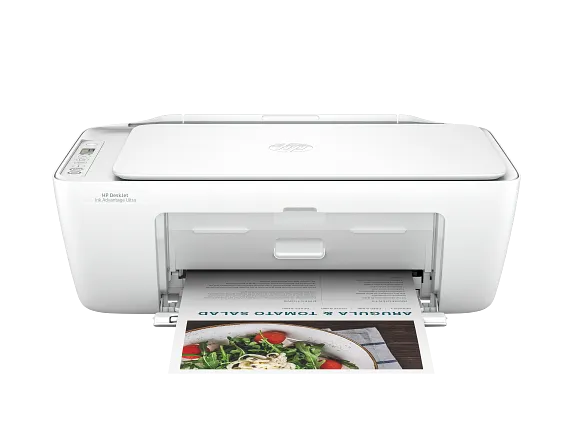
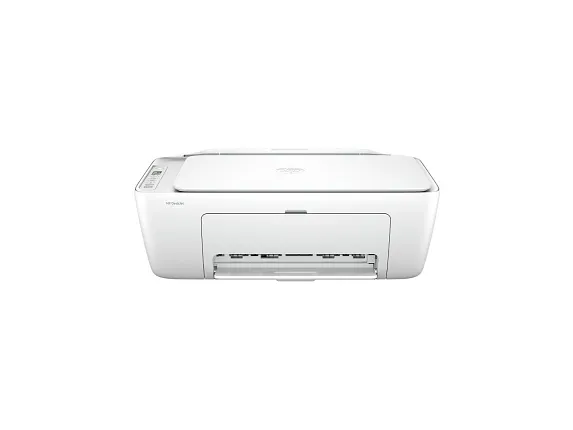
| Product | DeskJet 2827e All-in-One Printer |
| Functions | Print, Copy, Scan |
| Print Speed – Black (ISO, Laser Comparable) | Up to 7.5 ppm |
| Print Speed – Color (ISO, Laser Comparable) | Up to 5.5 ppm |
| Resolution (Black) | Up to 1200 × 1200 Rendered dpi |
| Resolution (Color) | Up to 4800 × 1200 Optimized dpi Color (When Printing from a Computer on Selected Photo Papers and 1200 Input dpi) |
| Monthly Duty Cycle | Up to 1,000 Pages
Duty cycle is the maximum number of pages that can be printed in a month, but this page volume is not recommended on an ongoing basis. |
| Recommended Monthly Page Volume | 50 to 100
The number of pages printed should not exceed the recommended monthly page volume for optimum device performance. |
| Print Technology | Thermal Inkjet |
| Display | Icon LCD Display |
| Processor Speed | 1.0 GHz |
| Number of Print Cartridges | 2 (1 Each Black, Tri-Color) |
| Replacement Cartridges | 67 Black Original Ink Cartridge (~120 Pages Yield) 3YM56AN 67XL Black High Yield Original Ink Cartridge (~240 Pages Yield) 3YM57AN 67 Tri-Color Original Ink Cartridge (~100 Pages Yield) 3YM55AN 67XL Tri-Color High-Yield Original Ink Cartridge (~200 Pages Yield) 3YM58AN Actual yield varies considerably based on content of printed pages and other factors. |
| Compatible Ink Types | Pigment-Based (Black) Dye-Based (Color) |
| Print Languages | PCL 3 GUI PCLm (Apps/UPD) URF (AirPrint) |
| Automatic Paper Sensor | No |
| Paper Trays – Standard | 1 |
| Paper Trays – Maximum | 1 |
| Mobile Printing Capability | App Apple AirPrint Chrome OS Mopria-Certified |
| Connectivity – Standard | 1 Hi-Speed USB 2.0 (Device) 1 Wi-Fi 802.11b/g/n |
| Memory – Standard | 64 MB DDR1 |
| Minimum System Requirements | macOS 10.14 Mojave macOS 10.15 Catalina macOS 11 Big Sur macOS 12 Monterey macOS 13 Ventura macOS 14 Sonoma macOS 15 Sequoia 2 GB HD Internet Required Windows 10, 11: 1 GHz 32-bit (x86) or 64-bit (x64) Processor, 2 GB Available Hard Disk Space, Internet Connection, Internet Explorer |
| Compatible Operating Systems | Windows 11 Windows 10 macOS 10.14 Mojave macOS 10.15 Catalina macOS 11 Big Sur macOS 12 Monterey macOS 13 Ventura macOS 14 Sonoma macOS 15 Sequoia Chrome OS |
| Hard Disk | No |
| Paper Handling Input – Standard | 60-Sheet Input Tray |
| Paper Handling Output – Standard | 25-Sheet Output Tray |
| Duplex Printing | Manual (Driver Support Provided) |
| Envelope Input Capacity | Up to 5 Envelopes |
| Borderless Printing | No |
| Finished Output Handling | Sheetfed |
| Media Sizes Supported | Letter Legal 4 × 6 in 5 × 7 in 8 × 10 in No. 10 Envelopes |
| Media Sizes – Custom | 3 × 5 to 8.5 × 14 in |
| Media Types | Plain Paper, Photo Paper, Brochure Paper, Envelopes and Other Specialty Inkjet Papers |
| Recommended Media Weight | 20 lb |
| Supported Media Weight | Letter: 16 to 32 lb Envelopes: 20 to 24 lb Cards: Up to 110 lb 4 × 6 Inch Photo Paper: Up to 145 lb |
| Scan Resolution – Hardware | Up to 1200 × 1200 dpi |
| Scan Resolution – Optical | Up to 1200 dpi |
| ADF Capacity | No |
| Digital Sending Features | No |
| Copy Resolution – Black Text | Up to 300 × 300 dpi |
| Copy Resolution – Colour Text and Graphics | Up to 300 × 300 dpi |
| Copies – Maximum | Up to 9 Copies |
| Faxing | No |
| Power | Input Voltage: 100 to 240 VAC (+/- 10%), 50/60 Hz (+/- 3 Hz), 350 mA India Input Voltage: 200 to 240 VAC (+/- 10%), 50/60 Hz (+/- 3 Hz), 350 mA |
| Power Consumption | 2.8 W (Ready) 1.4 W (Sleep) 0.3 W (Auto-Off) 0.3 W (Off) For China: 2.8 W (Ready), 1.4 W (Sleep), 0.3 W (Auto-Off), 0.3 W (Off). Power requirements and consumption are based on the country/region where the printer is sold. Do not convert operating voltages. This will damage the printer and void the product warranty. |
| Product Disclaimer | This printer is intended to work only with cartridges that have new or reused electronic circuitry, and it uses dynamic security measures to block cartridges using modified or non-original circuitry. Periodic firmware updates will maintain the effectiveness of these measures and block cartridges that previously worked. Reused electronic circuitry enables the use of reused, remanufactured, and refilled cartridges. |
| Energy Efficiency | EPEAT® Gold Registered |
| Operating Temperature Range | 41 to 104°F |
| Operating Humidity Range | 20 to 80% RH (Non-Condensing) |
| Software Included | Printer Software, Available Online |
| Warranty | One-Year Limited Warranty. Warranty and support options vary by product, country, and local legal requirements. |
| Dimensions (W × D × H) | 16.7 × 11.97 × 6.06 in |
| Dimensions Maximum (W × D × H) | 16.7 × 21.5 × 9.8 in (Output Extension Fully Out) |
| Weight | 7.55 lb |
| Package Weight | 10.10 lb |
| What’s in the Box | DeskJet 2827e All-in-One 67 Setup Black Cartridge 67 Setup Tri-Color Cartridge Regulatory Flyer Setup Guide Reference Guide Power Cord |
| Cable Included | AP EM Only: Yes, 1.0 m USB Cable AMS, EMEA: No, Please Purchase USB Cable Separately |
| Sustainability Features | 60% Post-Consumer Recycled Plastic |
| Dynamic Security | Dynamic Security Enabled Printer.
Certain printers are intended to work only with cartridges that have a new or reused chip or electronic circuitry. These printers use dynamic security measures to block cartridges using a non-original chip or electronic circuitry. Periodic firmware updates will maintain the effectiveness of these measures and block cartridges that previously worked. Reused chips and electronic circuitry enable the use of reused, remanufactured, and refilled cartridges. |
| Wireless Capability | Yes, Built-in Wi-Fi 802.11b/g/n |
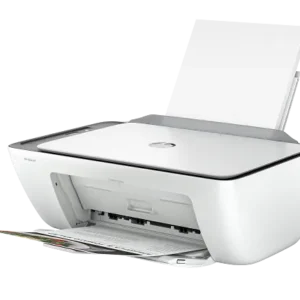
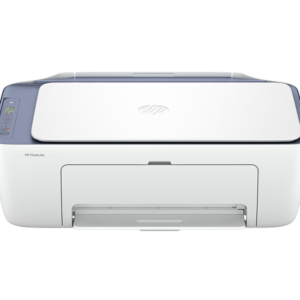
HP DeskJet 2827e All-in-One Printer
$59.99
Effortlessly print, scan, and copy with this compact, wireless printer, paired with the easiest-to-use print app. From labels to recipes, enjoy a seamless experience from the America`s most trusted printer brand.
For home users with basic printing needs who want an affordable, easy-to-use and compact printer to print, scan, and copy with ease.
This printer is intended to work only with cartridges that have new or reused HP electronic circuitry, and it uses dynamic security measures to block cartridges using modified or non-HP circuitry. Periodic firmware updates will maintain the effectiveness of these measures and block cartridges that previously worked. Reused HP electronic circuitry enables the use of reused, remanufactured, and refilled cartridges.
This is an HP+ enabled printer. Choose HP+ at product setup to activate benefits. HP+ requires an HP account, ongoing connection to the internet, and exclusive use of Original HP Ink cartridges for the life of the printer.
Reviews
There are no reviews yet.