
| Category | Specifications |
|---|---|
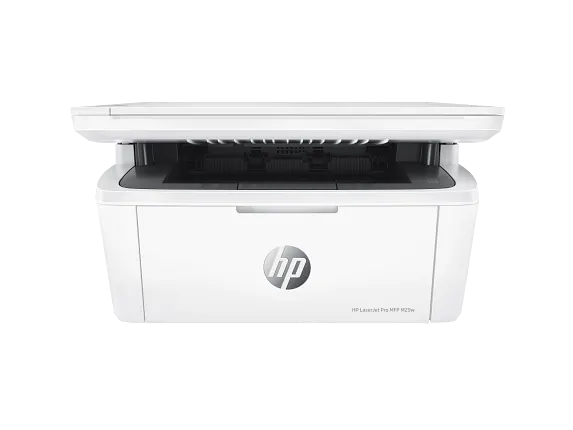
| Product | HP LaserJet Pro MFP M29w Printer |
| Functions | Print, copy, scan |
| Print Speed – Black (normal) | Up to 19 ppm |
| Printer page yield | Declared yield value in accordance with ISO/IEC 19752 and continuous printing. Actual yields vary considerably based on images printed and other factors. For details see http://www.hp.com/go/learnaboutsupplies. |
| First page out (ready) black | As fast as 7.9 sec |
| Resolution (black) | Up to 600 x 600 dpi |
| Resolution technology | HP FastRes 600 |
| Monthly duty cycle | Up to 8000 pages
Duty cycle is defined as the maximum number of pages per month of imaged output. This value provides a comparison of product robustness in relation to other HP LaserJet or HP Color LaserJet devices, and enables appropriate deployment of printers and MFPs to satisfy the demands of connected individuals or groups. |
| Recommended monthly page volume | 100 to 1000[12] |
| Print Technology | Laser |
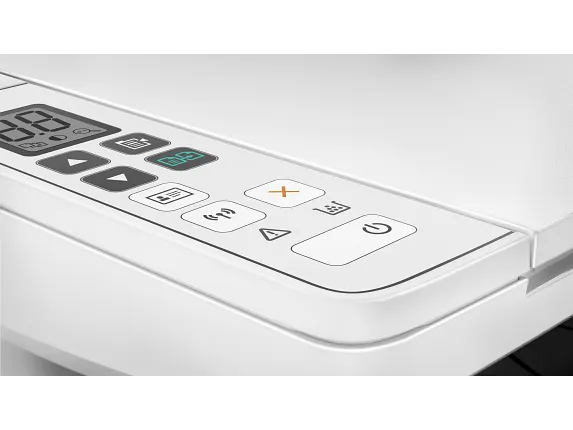
| Display | Icon LCD with keypad: Icon LCD Graphic display (2 digit number, copy setting, Darker/Lighter, Enlargement and reduction) Buttons (Up, Down, ID copy, Wireless, Copy setup, Start copy, Cancel, Power) 4 light-emitting diode (LED) indicator lights (Attention, Toner, Wireless, Power). |
| Number of print cartridges | 1 Black |
| Replacement cartridges | HP 48A LaserJet Black Toner Cartridge (~1000 pages)[3] |
| Product disclaimer | Dynamic security enabled printer. Only intended to be used with cartridges using an HP original chip. Cartridges using a non-HP chip may not work, and those that work today may not work in the future.
http://www.hp.com/go/learnaboutsupplies |
| Print languages | PCLmS URF PWG |
| Automatic paper sensor | Yes |
| Paper trays, standard | 1 input tray |
| Paper trays, maximum | 1 input tray |
| Mobile Printing Capability | Apple AirPrint™ Google Cloud Print 2.0 Mopria-certified Wi-Fi Direct, HP Smart App |
| Connectivity, standard | Hi-Speed USB 2.0 port built-in Wifi 802.11b/g/n |
| Security management | Password-protected network embedded Web server enable/disable Network ports SNMPv1 community password change |
| Minimum system requirements | Apple® macOS Sierra (v10.12) macOS High Sierra (v10.13) macOS Mojave (v10.14) 1.5 GB HD Internet required USBWindows® 10, 8.1, 8, 7: 32-bit or 64-bit, 2 GB available hard disk space, CD-ROM/DVD drive or Internet connection, USB port, Internet Explorer. |
| Compatible operating systems | Windows 11 Windows 10 Windows 8 Windows 8.1 Windows 7 macOS 10.11 El Capitan macOS 10.12 Sierra macOS 10.13 High Sierra Linux |
| Memory, standard | 32 MB |
| Memory, maximum | 32 MB |
| Printer management | HP Printer Assistant (UDC) HP Device Toolbox HP Utility (Mac) |
| Supported network protocols | TCP/ IPv6 IP Direct Mode LPD SLP Bonjour WS-Discovery BOOTP/DHCP/AutoIP SNMP v 1/2//HTTPS |
| Paper handling input, standard | 150-sheet input tray |
| Paper handling output, standard | 100-sheet output bin |
| Envelope input capacity | Up to 10 envelopes |
| Media sizes supported | Letter, envelopes (No. 10) custom A4 A5 A6 envelopes (C5, DL) custom |
| Media sizes, custom | 4.13 x 5.83 to 8.5 x 11.69 |
| Media types | Plain paper, envelope, postcard, Label |
| Supported media weight | 17 to 32 lb |
| Media weights by paper path | 65 to 120 g/m² |
| Power | 110V – 127V nominal @ +/-10% (min 99V, max 140V), 50 – 60Hz nominal +/- 3Hz (min 47Hz, max 63Hz) |
| Power consumption | 363 watts (active printing) 2.12 watts (ready) 0.55 watts (sleep) 0.55 watts (Auto Off/Wake on USB) 0.06 watts (Auto-off/Manual-on) 0.06 watts (Manual-off) |
| Energy efficiency | ENERGY STAR® qualified EPEAT® Silver |
| Operating temperature range | 59 to 90.5ºF |
| Software included | For Windows OS: HP Software Installer, HP Software Uninstaller (exclude Win8+), HP PCLmS Printer Driver, HP Device Experience (DXP), HP Web Services Assist (HP Connected), Device Setup & Software, Online user manuals, HP Printer Assistant, HP Scan Driver, HP Scan Application, HP Product Improvement Study.
For Mac OS: Welcome Screen, (Directs users to HP.com or OS App Source for LaserJet Software) |
| Warranty | One-year limited warranty |
| Post warranty | http://www.hp.com/support |
| Dimensions (W X D X H) | 14.2 x 10.4 x 7.8 in |
| Dimensions Maximum (W X D X H) | 14.2 x 16.8 x 13.7 in |
| Weight | 11.9 lb |
| Package weight | 15.1 lb |
| What’s in the box | HP LaserJet Pro M29w Printer Preinstalled HP Original Introductory Black LaserJet Toner Cartridge (~500 pages) Getting Started Guide Setup Poster Support flyer Warranty guide Software drivers and documentation on CD ROM Power cord USB cable |
| Cable included | Yes |
| Sustainability features | Mercury-free |
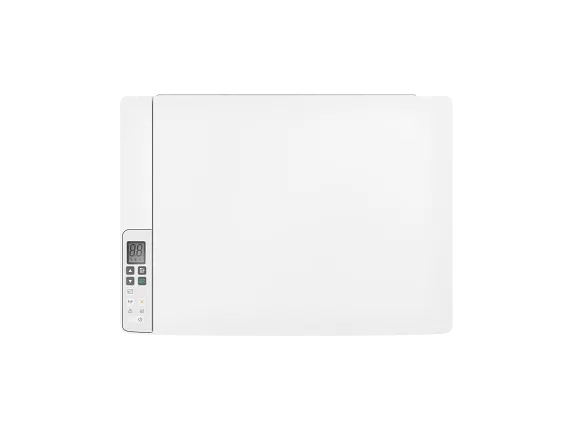
Enterprise Printer
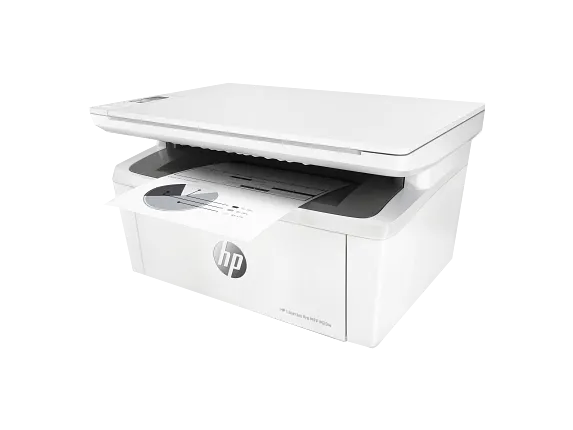
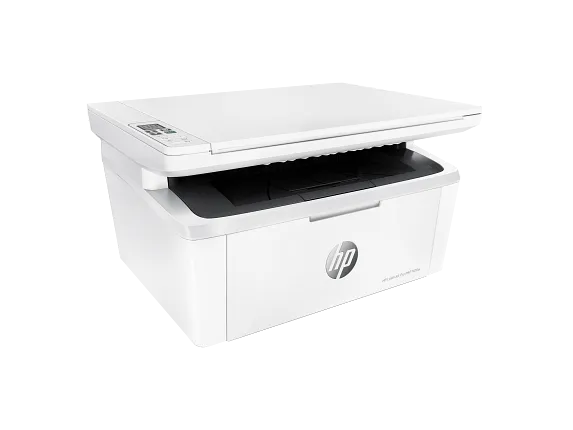
HP LaserJet Pro MFP M29w Printer
$149.00
+ Free ShippingProductivity that fits anywhere
Easily handle tasks and get a lot from one device – print, scan, and copy. Maximize your uptime with print speeds up to 19 ppm. Easily scan files directly to PDF and email with preloaded business apps. Easily copy both sides of identification cards onto one side of paper.
Uncompromising quality
This surprisingly small laser delivers exceptional quality, page after page. Help save energy with HP Auto-On/Auto-Off Technology. Speed through print jobs, using pre-installed Original HP Toner cartridges.
Easy mobile printing and scanning with HP Smart App
Print from the cloud, scan from your smartphone, and easily order toner, with the HP Smart App. Easily print from a variety of smartphones and tablets. Easily share resources – access and print with wireless networking. Connect your smartphone directly to your printer – and easily print without accessing a network.
Reviews
There are no reviews yet.